
How to Improve Your Local Google Ranking Without Paying for Ads
If you are trying to figure out how to improve local Google ranking results for your business, the good news is that you do not need to start by buying ads. Paid advertising can place your business in sponsored positions, but it does not purchase a better organic or Google Maps ranking. Local visibility grows when Google can clearly understand what your business does, where it operates, and why searchers may consider it a trustworthy result.
That sounds simple. In practice, many local businesses give Google the digital equivalent of a half-completed name tag. Their hours are outdated, service descriptions are vague, website pages barely mention the communities they serve, and the newest customer review is old enough to have its own driver’s license.
You can fix many of those problems yourself. The steps in this guide will help you improve your Google Business Profile, strengthen your website, earn better reviews, and create a more consistent local presence. None requires an advertising budget. However, each one requires accuracy, patience, and follow-through.
Local SEO is not a one-afternoon trick. It is a collection of useful signals that become stronger together. Let us start with what Google says matters most.

What Determines Your Local Google Ranking?
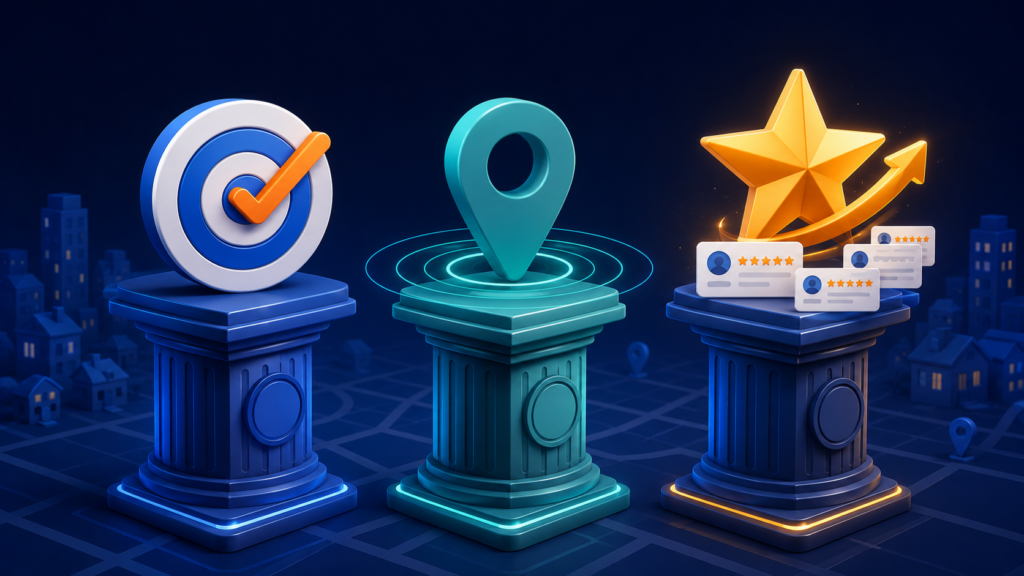
Google explains that local results are mainly based on three factors: relevance, distance, and prominence.
Relevance
Relevance is how well your business matches what a person searched for. If someone searches for “emergency plumber,” Google needs enough accurate information to determine whether your business actually provides emergency plumbing.
Your business category, services, profile details, website content, and other online information all help establish that connection. A vague online presence forces Google to guess. Search engines are clever, but they should not have to solve a riddle to understand your company.
Distance
Distance considers how far a potential result is from the location used in a search. If the searcher does not specify a location, Google estimates it from the information available about that person’s location.
You cannot optimize your way around geography. A company located 40 miles away may struggle to appear for searches dominated by businesses near the searcher. Adding a distant city to your service area does not physically move your business there.
Still, distance is only part of the equation. You can strengthen relevance and prominence so your business becomes a more competitive local result within a realistic geographic area.
Prominence
Prominence reflects how well known and trusted a business appears. Google may consider information such as links, articles, directories, reviews, and general online recognition. Google also says that more reviews and positive ratings can help local ranking.
In plain language, a business that has earned genuine attention around the web may look more established than one that barely exists outside its own website.
You cannot control every ranking factor. However, you can give Google clearer, more consistent information and give potential customers better reasons to choose you.
How to Improve Local Google Ranking With Your Business Profile
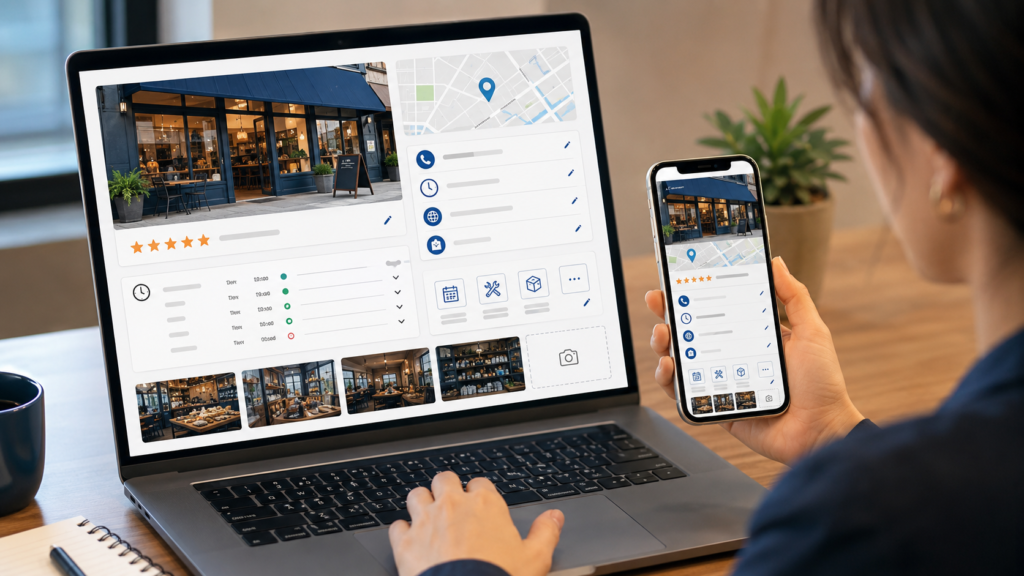
Your Google Business Profile is one of your most important local search assets. It can appear in Google Search and Maps when people look for your company, your services, or businesses near them. Claiming the profile is only the beginning. A verified but neglected listing is like opening a storefront and leaving the lights off.
Start by signing in to the Google account that manages your profile. Search for your business name on Google, open the profile management options, and review every field available to you.
Confirm your business name
Use the real-world name customers see on your storefront, website, invoices, and other materials. Do not add extra cities or service keywords unless they are genuinely part of the business name.
For example, changing “Smith Plumbing” to “Smith Plumbing Best Emergency Plumber Columbus Ohio” may feel like optimization. It is actually keyword stuffing and may violate Google’s profile guidelines. It also makes the business sound as though it lost a bet with a thesaurus.
Check your address or service area
If customers visit your location during stated hours, make sure the address is correct. If you travel to customers and do not serve them at your address, configure the profile as a service-area business and hide the address when appropriate.
Choose service areas that reflect where you actually work. Adding every city in the state does not guarantee visibility in those places. Accuracy is more useful than ambition here.
Use an accurate phone number and website URL
Your phone number should reach the business directly. Your website link should point to a working, secure, mobile-friendly page that represents the same company and location.
If possible, link to the most relevant location page rather than automatically sending every profile to a generic homepage. A business with one location may use its homepage. A multi-location company should normally give each legitimate location a distinct page.
Keep regular and special hours current
Update regular hours whenever they change. Add special hours for holidays, events, temporary schedules, and seasonal changes. Incorrect hours create poor customer experiences, and poor customer experiences have a habit of becoming reviews.
Set a recurring calendar reminder to check your hours once a month and several weeks before major holidays. This small task can prevent a surprising amount of frustration.
Choose the Right Primary and Secondary Categories
Your primary business category tells Google what your company mainly is. It is not the place to describe every service you have ever considered offering.
Choose the most specific accurate primary category available. A personal injury law firm should choose a category that reflects that specialty when appropriate, rather than relying only on a broad category such as “law firm.” A roofing contractor should not choose “construction company” if a more precise roofing category correctly represents the business.
Then add relevant secondary categories for meaningful additional services. Do not select unrelated categories simply because you want traffic from more searches. Relevance improves when the information is specific and truthful.
Review your categories periodically because Google may add, remove, or rename options. You should also revisit them when your core services genuinely change.
A quick category action item
Search Google for your most important service in your city. Review the categories used by several legitimate businesses that closely resemble yours. Do not blindly copy competitors. Instead, use that research to check whether you overlooked a more precise category.
Complete Your Services, Products, and Business Description
The next step in learning how to improve local Google ranking visibility is eliminating empty or generic profile fields.
Add your core services and write concise descriptions that explain what each service includes. Use the language customers naturally use, but avoid repeating the same city and keyword in every sentence.
If you are a retailer or another eligible business, add relevant products with accurate information and strong photos. If your profile offers appointment, menu, ordering, or reservation links, connect customers to the correct page.
Your business description should quickly explain:
- What the business does
- Who it serves
- Where it operates
- What makes its approach useful or different
- How long it has served customers, if that history matters
Keep the description readable. Potential customers are people, not keyword-counting robots. A sentence such as “We provide residential roof repair, replacement, and storm-damage inspections throughout the Columbus area” communicates far more than a pile of repeated variations.
Your 15-minute profile cleanup
Set a timer and make these changes:
- Correct your hours.
- Confirm your phone number and website.
- Check the primary category.
- Add three important services.
- Replace an outdated photo.
You may not finish everything in 15 minutes. That is fine. The goal is to turn “we should work on that someday” into visible progress today.
Add Real Photos and Videos Regularly
Photos help customers understand what to expect from your business. They can show your storefront, team, products, completed work, equipment, atmosphere, and process. Google specifically recommends adding photos and videos to help showcase what a business offers and tell its story.
Use clear, well-lit, current images. Whenever possible, prioritize original photos instead of stock photography. Stock images can support a website design, but they do not prove that your team completed a project or that your location exists.
Useful photo ideas include:
- Exterior and interior views of a customer-facing location
- Team members at work
- Before-and-after project photos
- Finished products or completed services
- New equipment or expanded facilities
- Community events and partnerships
- Branded vehicles used by service businesses
- Short videos explaining a process or answering a question
Do not upload dozens of nearly identical images at once and then ignore the profile for a year. Add a few strong images regularly. A simple habit is to capture usable content during normal work and upload the best selections each month.
Remember to get permission before showing customers, private property, sensitive documents, or identifying information.
Ask for More Honest Google Reviews
Reviews support trust, influence buying decisions, and contribute to prominence. Google states that more reviews and positive ratings can help local ranking. However, the goal is not to chase a perfect score by any means necessary. The goal is to build an honest, ongoing record of customer experiences.
Ask satisfied customers for a review shortly after completing the service or sale. Make the process easy by sharing your Google review link through email, text message, a printed card, or a QR code.
A simple request might say:
Thank you for choosing us. If you have a moment, would you share your honest experience on Google? Your feedback helps our local business and helps other customers know what to expect.
Avoid offering rewards in exchange for positive reviews. Do not ask only for five-star ratings. Do not have employees, friends, or relatives invent experiences. Also avoid “review gating,” where happy customers are directed to Google while unhappy customers are quietly diverted elsewhere.
Those shortcuts can violate platform policies and damage credibility. A steady flow of genuine feedback is far more valuable than a suspicious burst of praise that reads as though every reviewer attended the same creative-writing workshop.
Build a repeatable review process
Choose one point in the customer journey when you will ask for feedback. For example:
- A contractor asks after the final walkthrough.
- A salon sends a request later on the appointment day.
- A restaurant includes a QR code on the receipt.
- A consultant sends the link after completing a milestone.
- A retailer includes the request in a follow-up email.
Train everyone who communicates with customers to follow the same process. Consistency matters more than asking fifty customers today and none for the next six months.
Respond to Every Review With Care
Google recommends responding to reviews because it shows that you value customer feedback. Replies also give future customers another window into how your business communicates.
For a positive review, thank the customer and mention something specific when appropriate. Avoid pasting the exact same response under every review.
For a negative review:
- Pause before replying.
- Acknowledge the concern without becoming defensive.
- Avoid sharing private customer information.
- Offer a direct way to continue the conversation.
- Explain a correction only when you can do so calmly and accurately.
A professional response does not require admitting to something that did not happen. It does require remembering that your reply is written for every future customer who reads it—not only the person who posted the complaint.

Make Your Website Clearly Relevant to Local Customers
Your Google Business Profile and website should support each other. If your profile says you provide a service in a certain market, your website should make that service and geographic relevance easy to understand.
Start with your homepage and primary service pages. Make sure each page has a clear title, useful heading, understandable copy, and accurate contact information. Explain what you do, who you help, and where you operate.
Use local language naturally. A heating company might discuss cold-weather maintenance needs common to its region. A property restoration company might explain how local storms affect area homes. A business can demonstrate local knowledge without inserting the city name into every other sentence.
Create a strong contact page
Your contact page should include the correct business name, phone number, location or service area, hours, and an easy way to inquire. If customers visit the business, consider embedding a map and adding parking or arrival instructions.
Give important services their own pages
Do not squeeze every service into a single paragraph. Dedicated pages allow you to explain each offering in useful detail and match more specific searches.
A plumber, for example, may need separate pages for drain cleaning, water-heater repair, leak detection, and emergency plumbing. Each page should contain original information that helps a customer understand the service—not the same paragraph with a different heading pasted on top.
Make the site work well on mobile devices
Local searches frequently happen when people need an answer quickly. A mobile visitor should be able to read the page, understand the service, tap the phone number, and submit a short form without pinching, zooming, or entering an obstacle course.
Test your website on your own phone. Check the menu, buttons, forms, text size, page speed, and contact links. Then ask someone who did not build the site to try it. Familiarity can make broken experiences strangely invisible.
How to Improve Local Google Ranking With Location Pages
If your business has multiple real locations, create a useful page for each one. Include the location’s accurate contact information, hours, services, team details, directions, photos, and information that is genuinely specific to that branch.
Service-area businesses may also create pages for important communities they truly serve. However, each page must provide unique local value. Swapping “Dayton” for “Columbus” across dozens of otherwise identical pages is not a strong local strategy. It creates thin content that is unhelpful to users.
A useful service-area page might include:
- Services available in that community
- Local project examples
- Neighborhoods or nearby areas served
- Relevant customer testimonials
- Local conditions that affect the service
- Travel, scheduling, or availability information
- Answers to questions customers in that area commonly ask
Create fewer strong pages before creating many weak ones. If you have no meaningful information about a location, you may not need a page for it yet.
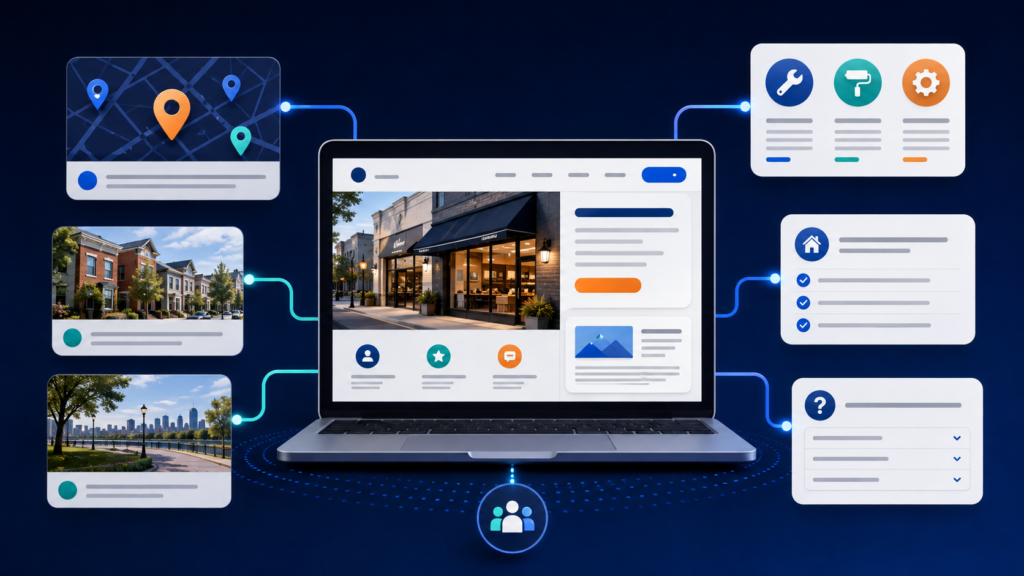
Publish Helpful Local Content
Blog content can support local relevance when it answers questions potential customers actually ask. The goal is not to publish generic articles just to prove the blog section still exists.
Start by collecting questions from sales calls, emails, estimates, reviews, and customer conversations. Those questions often make better topics than a keyword tool alone because they reflect real needs.
Examples include:
- When should homeowners schedule an HVAC tune-up in this climate?
- What permits are commonly needed for a bathroom remodel in the area?
- How should local businesses prepare for a seasonal event?
- Which neighborhoods does your delivery service cover?
- What should customers expect before booking a particular service?
- How does a recent local change affect your customers?
Each post should fully answer one topic, connect readers to a relevant service, and offer a reasonable next step. You do not need to turn every article into a breathless sales pitch. Helpful content builds trust because it demonstrates expertise before the customer calls.
Link relevant blog posts to your service pages. Also link service pages to useful guides when that helps the reader. Internal links guide visitors through the website and help search engines understand how your content is organized.
Keep Your Business Information Consistent Online
Your name, address, and phone number should be accurate across your website, Google Business Profile, major directories, social profiles, industry associations, and other important listings.
Minor formatting differences are not usually a crisis. “Street” versus “St.” will not summon the SEO police. However, an old phone number, outdated address, duplicate profile, or incorrect business name can confuse customers and create inconsistent signals.
Search for your business name, old phone numbers, and previous addresses. Correct the most visible and authoritative listings first. Focus on quality rather than submitting your company to hundreds of questionable directories.
Useful listing opportunities may include:
- Major map and navigation services
- Local chambers of commerce
- Trusted industry associations
- Local business organizations
- Relevant professional directories
- Community sponsorship and partner pages
Avoid paying for mass submissions to directories no real customer would use. A citation is not automatically valuable merely because a website accepted your company name.
Earn Local Links and Mentions
Links from other credible websites can contribute to your business’s online prominence. The most sustainable local links usually come from real relationships and activities—not from buying a suspicious bundle of 500 backlinks before lunch.
Consider opportunities such as:
- Joining a local chamber or professional organization
- Sponsoring a legitimate community event
- Partnering with a nonprofit
- Contributing expertise to a local publication
- Supporting a school, team, or neighborhood initiative
- Creating a useful local resource people want to reference
- Asking vendors or partners to list your business where appropriate
The link should make sense even if search engines did not exist. That is a useful test. If the only reason for a placement is “SEO juice,” the opportunity may be lower quality than it sounds.
Do not demand keyword-heavy anchor text from every partner. A natural link using your business name is valuable and far less awkward.
Add Local Business Structured Data
Structured data is code that helps search engines understand information on a webpage. Google supports LocalBusiness structured data, which can describe details such as the business type, address, phone number, hours, geographic coordinates, and website.
If you use WordPress, an SEO or schema plugin may provide fields for this information. However, the markup must match what users can see on the page. Adding structured data does not guarantee a special search result or higher ranking. It simply presents information in a standardized format Google can interpret.
After adding it, test the page with Google’s Rich Results Test. Then use Google Search Console’s URL Inspection tool to confirm Google can access the page.
This is one point where professional help may be worthwhile. Incorrect schema, conflicting plugins, or markup that describes information not visible on the page can create errors. A local SEO specialist can audit the implementation instead of treating schema as a box to check.
Use Google Search Console to Find Easy Opportunities
Google Search Console shows how your website performs in organic Google Search. It does not provide every detail about Google Maps rankings, but it can reveal the queries and pages already earning impressions and clicks.
Open the Performance report and review:
- Search queries that show your site
- Pages receiving impressions
- Click-through rates
- Average positions
- Changes over time
Look for relevant local queries where your site receives impressions but few clicks. The matching page may need a clearer title, stronger description, better answer, or closer alignment with the searcher’s intent.
Also look for important service pages that receive little visibility. They may need stronger content, better internal links, technical fixes, or more authority.
Do not obsess over daily position changes. Rankings vary by location, device, search history, and competition. Review longer trends and business outcomes.
Track Local SEO Results That Matter
Knowing how to improve local Google ranking performance also means knowing how to measure it. A ranking report can be useful, but visibility is not the final business goal. Calls, inquiries, appointments, direction requests, and sales matter more.
Track a combination of metrics:
- Google Business Profile calls and interactions
- Website clicks from the profile
- Direction requests, when relevant
- Organic website traffic to service and location pages
- Contact-form submissions
- Click-to-call actions
- Appointment or booking requests
- Review volume and rating trends
- Visibility for important local searches in realistic areas
Use tracking links where appropriate so analytics can distinguish visits from your Business Profile. Confirm that website forms and phone calls are being measured correctly.
Compare several months rather than judging one week. Local SEO usually improves through accumulation: more accurate information, more useful pages, more reviews, stronger mentions, and better customer engagement.

What You Should Not Do to Improve Local Rankings
Some shortcuts create more risk than reward. Avoid these common mistakes:
Do not stuff keywords into your business name
Use your legitimate name. Unnecessary service and city terms may violate Google’s guidelines.
Do not buy fake reviews
Fake feedback can damage trust, violate policies, and create legal or reputational problems.
Do not create fake locations
Virtual offices, borrowed addresses, and locations where the business does not operate may violate eligibility rules. A service area is not improved by pretending to have offices everywhere.
Do not publish dozens of duplicate city pages
Thin pages with only the city name changed offer little value and can make the website look spammy.
Do not copy competitor content
Original information based on your experience is more useful to customers and safer for your brand.
Do not expect instant results
Google must process profile updates, crawl website changes, compare businesses, and respond to an evolving competitive market. Anyone guaranteeing the number-one spot by next Tuesday is selling confidence, not certainty.
A 30-Day Local SEO Action Plan
If the full guide feels like a lot, use this manageable plan.
Week 1: Clean up your foundation
- Verify your Google Business Profile.
- Correct your name, address or service area, phone number, website, and hours.
- Choose accurate categories.
- Complete your business description and top services.
Week 2: Improve trust
- Create a simple review-request process.
- Ask recent eligible customers for honest feedback.
- Respond to existing reviews.
- Upload five strong, original photos.
Week 3: Strengthen your website
- Improve one important service page.
- Add clear contact information and calls to action.
- Test the site on mobile.
- Fix broken links and outdated information.
- Connect relevant pages with internal links.
Week 4: Build local authority
- Correct your most important directory listings.
- Publish one useful local article.
- Contact one legitimate community or industry organization.
- Review Search Console and profile performance.
- Write down what you will improve next month.
This plan will not complete an entire local SEO campaign. It will create a healthier foundation and reveal where deeper work is needed.
When DIY Local SEO Stops Being Enough
Business owners can handle many local SEO basics. In fact, no agency should make routine accuracy sound like mysterious wizardry. You know your customers, services, community, and daily operations better than anyone.
However, local SEO becomes more complex when you have:
- Several locations or service areas
- Strong nearby competitors
- Duplicate or suspended profiles
- Major website technical problems
- Inconsistent tracking
- A history of poor-quality SEO work
- Thin or duplicate location content
- Weak organic visibility despite a complete profile
- Limited time to publish, monitor, and improve consistently
A professional strategy can connect profile optimization, website content, technical SEO, citation cleanup, reputation management, link earning, analytics, and ongoing competitive research. Those pieces are more powerful when they work together.
If your profile is complete but your visibility has stopped improving, Go Local Max can identify what is limiting your growth and prioritize the work most likely to matter. Link this sentence to your Organic and Local SEO service page once you confirm its live URL.
How to Improve Your Local Google Ranking Starting Today
The most effective answer to how to improve local Google ranking results without ads is not a secret trick. Make your business easier for Google to understand and easier for customers to trust.
Complete and maintain your Google Business Profile. Choose accurate categories. Describe your services clearly. Add original photos. Ask for honest reviews and respond professionally. Strengthen your service and location pages. Keep your information consistent. Earn real local mentions. Track actions that lead to customers.
Start with one task today. Correct your hours, request one review, improve one service description, or upload one excellent project photo. Small actions become meaningful when they are accurate and repeated.
When you are ready for a complete strategy, schedule a free consultation with Go Local Max. We can help your business build stronger local visibility with an approach designed around your services, market, website, and goals. Link this call to action to your contact page once you confirm the live URL.