
Website Not Generating Leads? Here’s Why
Your website is receiving traffic. People are finding you through Google, social media, paid advertising, referrals, or online directories. However, the phone is not ringing. Your contact forms are not being completed. Visitors arrive, look around, and leave without taking the next step.
If your website is not generating leads, getting more traffic may not solve the problem. In fact, sending more people to a website that does not convert can waste time and advertising dollars. The real issue may be what happens after visitors arrive.
A business website should do more than look attractive. It should quickly explain what you offer, show visitors why they should trust you, and guide them toward a clear action. When any part of that process breaks down, potential customers disappear.
The good news is that many website conversion problems can be identified and fixed. Let’s look at the most common reasons a website gets traffic but fails to generate leads.

Website Traffic and Website Leads Are Not the Same Thing
Traffic tells you how many people visit your website. Leads tell you how many visitors take a meaningful step toward becoming a customer.
A visitor may become a lead by:
- Calling your business
- Completing a contact form
- Requesting an estimate
- Scheduling a consultation
- Joining your email list
- Sending a text message
- Starting a live chat
- Downloading a guide or offer
Traffic is useful, but it is only the first part of the process. You also need the right visitors, the right message, and a simple path to conversion.
For example, imagine that 1,000 people visit a contractor’s website in one month. If most of them are looking for do-it-yourself repair instructions, they may never request an estimate. The website has traffic, but it does not have visitors with the right intent.
Now imagine that qualified homeowners are reaching the site, but the estimate button is difficult to find. Those visitors may leave even though they need the service. In that case, the traffic is relevant, but the website experience is getting in the way.
Before investing in more traffic, find out whether your current visitors have enough information, trust, and direction to take action.
Your Website Does Not Immediately Explain What You Do
Most visitors will not search through several pages to understand your business. Your homepage should quickly answer four basic questions:
- What does your business offer?
- Who do you serve?
- Where do you provide your services?
- What should the visitor do next?
If those answers are unclear, people may assume they are in the wrong place.
Vague headlines are a common problem. Phrases such as “Building Better Futures” or “Quality You Can Trust” may sound professional, but they do not explain the actual service. A stronger headline is specific. For example, “Custom Website Design for Small Businesses” tells visitors exactly what the company provides and who it serves.
Your supporting text should add useful details without becoming a wall of copy. Mention your main service area, the type of customer you help, and the result you provide.
Clarity usually matters more than cleverness. Visitors should not have to interpret your message before deciding whether to contact you.
Why Your Website Is Not Generating Leads Despite Getting Traffic
Sometimes the website is not the only problem. Your traffic sources may be sending people who are unlikely to become customers.
This can happen when:
- Blog posts target topics that are unrelated to your services
- Paid ads use keywords that are too broad
- Social media content reaches people outside your service area
- Search pages rank for informational terms instead of buying terms
- Your page titles create the wrong expectation
- Referral traffic comes from irrelevant websites
Your website may not be generating leads because the people finding it are not actively looking for the services you provide.
Suppose a local roofing company publishes an article titled “How to Repair a Roof.” The article may attract people from across the country who want to complete their own repairs. That traffic can increase the company’s visitor count, but it may not produce local roofing leads.
Informational content still has value. It can build authority and introduce people to your brand. However, your content strategy should also include commercial and local search terms. Pages focused on services, problems, locations, pricing factors, and consultations often attract visitors who are closer to making a decision.
Review the search terms and pages that bring visitors to your website. Then ask whether those visitors match the people you actually want to reach.
Weak Calls to Action Can Keep Your Website From Generating Leads
A call to action tells a visitor what to do next. Without one, your website may become an online brochure instead of a lead-generation tool.
Effective calls to action include:
- Request a Free Estimate
- Schedule a Consultation
- Call for Same-Day Service
- Get a Custom Quote
- Book an Appointment
- Send Us a Message
Choose actions that match the way customers prefer to contact your business. A homeowner dealing with a burst pipe may want to call immediately. Someone researching business consulting may prefer to schedule a conversation.
Your primary call to action should appear near the top of the page. It should also appear again after important information, such as service details, testimonials, or frequently asked questions.
Avoid using several competing buttons in the same area. If visitors see “Learn More,” “Subscribe,” “Shop,” “Download,” “Contact,” and “Follow Us” at the same time, they may not know which action matters most.
Give each page one main goal. Supporting actions are fine, but the primary action should be visually obvious.
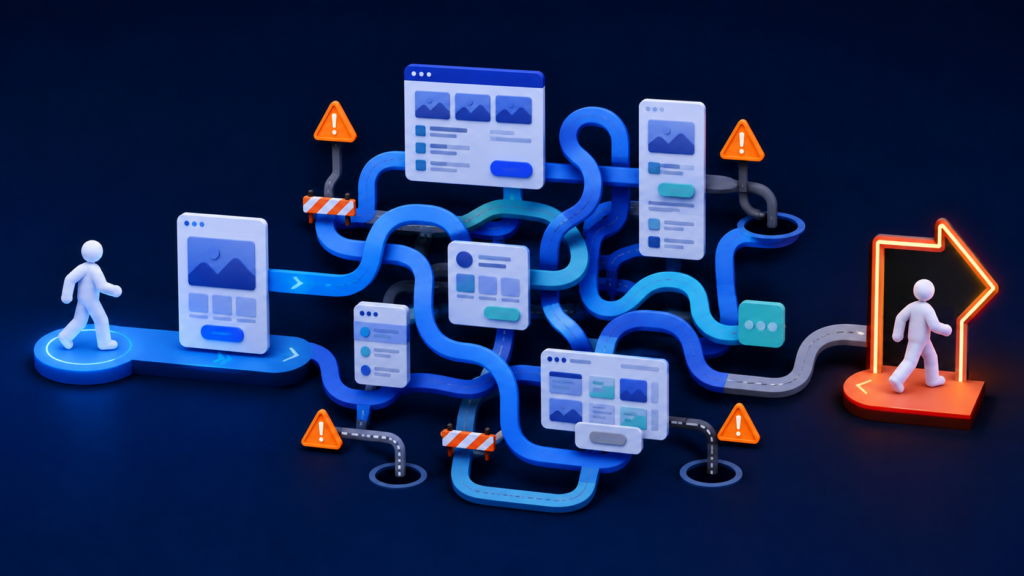
Your Website Is Difficult to Navigate
Good navigation helps people find what they need with very little effort. Poor navigation makes even strong content hard to use. When important information is difficult to find, your website is not generating leads because interested visitors cannot reach the next step.
Common navigation problems include:
- Too many menu options
- Important services hidden under unclear labels
- No direct link to the contact page
- Different navigation on different pages
- Broken links
- Long dropdown menus
- No clear path back to the homepage
- A mobile menu that is hard to use
Use familiar menu labels whenever possible. “Services,” “About,” “Reviews,” and “Contact” are easy to understand. Creative labels can add personality, but they should never make visitors guess.
Service businesses should consider giving major services their own pages. A professionally planned custom website design can make your services easier to find while guiding visitors toward contacting your business. A single page listing every service may not provide enough information for visitors or search engines. Dedicated pages also make it easier to guide a visitor from a specific search to a relevant offer.
Keep the main navigation focused. Then use internal links to connect related pages and help visitors continue their journey.
The Website Is Too Slow
Visitors expect a website to respond quickly. If a page takes too long to load, they may leave before they ever see your offer. If your website is not generating leads, slow loading times may be causing potential customers to leave before the page appears.
Large images, unnecessary plugins, outdated code, cheap hosting, video backgrounds, and poorly configured scripts can all slow down a website. Mobile users may experience even longer delays when their connection is weaker.
Speed also affects the way a website feels. A delayed button, jumping page layout, or form that freezes can make the business appear unreliable.
Start by compressing oversized images and removing tools you no longer use. Next, review your hosting, caching, theme, and third-party scripts. A developer can help identify the elements causing the biggest delays.
Do not remove every visual element simply to chase a perfect speed score. The goal is a useful website that loads quickly and supports conversions. Balance speed, design, and functionality.
Why Your Website Is Not Generating Leads on Mobile Devices
Your website may look excellent on a desktop computer but fail on a phone. That is a serious conversion problem when customers search while traveling, shopping, working, or dealing with an urgent need.
Check your website on several screen sizes. Look for these warning signs:
- Text is too small to read
- Buttons are difficult to tap
- Images extend beyond the screen
- Pop-ups cover the main content
- Forms require too much typing
- The menu does not open correctly
- Phone numbers are not clickable
- Pages load slowly on cellular service
A mobile-friendly site should not feel like a smaller desktop site. Content may need to stack in a different order. Buttons may need more space. Forms may need fewer fields. Contact options should be easy to reach with one hand.
If your website is not generating leads, test the full conversion process from a phone. Do not stop after checking the homepage. Open the menu, visit a service page, complete the form, tap the phone number, and confirm that every step works.

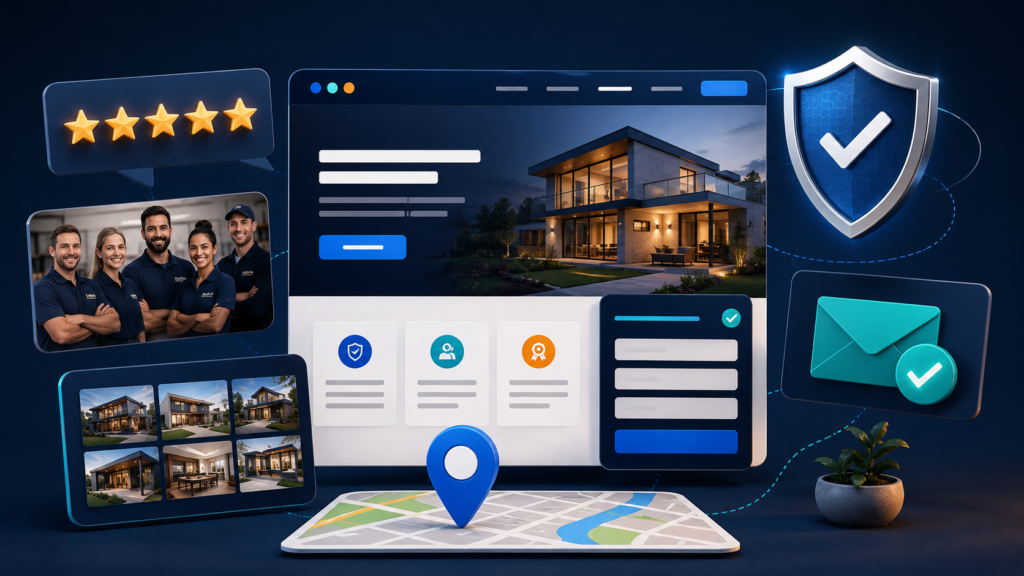
Your Website Has Not Built Enough Trust
Contacting a business requires trust. Visitors may be asked to share their name, phone number, email address, project details, or payment information. Before they do that, they want evidence that your company is legitimate and capable.
Strong trust signals include:
- Recent customer reviews
- Real photos of your team and work
- Detailed case studies
- Professional certifications
- Awards and affiliations
- Clear contact information
- A physical address or defined service area
- Privacy and security information
- Guarantees that are explained clearly
- Consistent branding and accurate content
Stock photos can support a design, but they should not completely replace real proof. Potential customers want to see the people behind the company and examples of completed work.
Testimonials are more useful when they include specific results. “Great service” is positive, but “They rebuilt our website and increased our estimate requests” gives the reader more context.
Place trust signals near important decisions. For example, show a testimonial beside a contact form or display project photos near a request-an-estimate button. This reassures visitors at the moment they are deciding whether to act.
Your Content Focuses on the Business Instead of the Customer
Many websites spend too much time talking about the company. They explain how long the business has existed, list internal processes, and repeat broad claims about quality. However, visitors are usually thinking about their own problem.
Customer-focused content should explain:
- The problem you solve
- The people you help
- What your service includes
- What makes your approach different
- What the customer can expect
- How the process works
- What result the customer may receive
- How to get started
This does not mean your company story is unimportant. Your history can build credibility. However, connect that history to a customer benefit. Instead of saying, “We have 20 years of experience,” explain how that experience helps you identify problems, avoid delays, or deliver better work.
Use the same language your customers use. Industry terminology may be accurate, but unfamiliar words can create distance. Clear language makes your services easier to understand and easier to buy.
Your Contact Form Asks for Too Much Information
A long contact form can feel like work. It can also make visitors wonder how their information will be used.
For an initial inquiry, you may only need:
- Name
- Email address or phone number
- A short message
You can collect more information later. If additional details are necessary for a quote, explain why you need them. You can also divide a longer form into a few short steps.
Make sure form fields are easy to complete on mobile devices. Use the correct field type for phone numbers and email addresses. Show a helpful error message when something is missing.
Most importantly, test the form. Submit it from desktop and mobile devices. Confirm that the message reaches the correct inbox and that the visitor sees a clear confirmation.
A broken form can make it appear that your website is not generating leads when the leads are actually being lost before delivery.
Visitors Do Not Know What Happens After They Contact You
Uncertainty prevents action. Visitors may hesitate if they do not know whether completing a form will lead to a helpful consultation, an aggressive sales call, or weeks of unwanted messages.
Set expectations beside your call to action. You might say:
- We will respond within one business day.
- Your consultation is free and does not require a commitment.
- A member of our local team will call to discuss your project.
- We will review your information before recommending the next step.
Then create a useful confirmation page or confirmation message. Thank the visitor, explain what happens next, and provide another contact option for urgent requests.
This small amount of reassurance can make the decision feel safer.
Your Offer Is Not Strong or Specific Enough
Sometimes visitors understand the service but do not see a compelling reason to act now. A clear offer gives them a specific next step and a practical benefit.
Examples include:
- A free website consultation
- A no-obligation project estimate
- A complimentary account review
- A downloadable planning checklist
- A seasonal service inspection
- A short introductory strategy call
The offer should fit your business and the visitor’s level of commitment. Someone who is early in the research process may download a guide. Someone comparing providers may be ready to request a proposal.
Avoid vague offers such as “Contact us to learn more.” Tell visitors what they will receive and why it will help them.
You do not always need a discount. Expertise, convenience, speed, clarity, and reduced risk can make an offer valuable.
You Are Sending Every Visitor to the Homepage
Your homepage must serve several audiences. Therefore, it may not be the best destination for every marketing campaign.
A dedicated landing page can match one audience, service, location, or offer. For example, an advertisement for kitchen remodeling should lead to a page about kitchen remodeling—not a general homepage that also discusses bathrooms, roofing, flooring, and commercial construction.
Strong landing pages usually include:
- A headline that matches the visitor’s search or advertisement
- A focused explanation of the service
- Benefits that matter to that audience
- Proof such as reviews or project examples
- Answers to common concerns
- One primary call to action
- A simple contact method
Message consistency matters. When the advertisement, search result, and landing page all promise the same thing, visitors feel confident that they are in the right place.
You Are Not Tracking Real Conversions
Page views do not tell the whole story. To understand performance, track the actions that represent genuine interest.
Depending on your business, those actions may include:
- Contact form submissions
- Clicks on phone numbers
- Appointment bookings
- Quote requests
- Live chat conversations
- Email link clicks
- Purchases
- Downloads of high-value resources
Tracking should also record where those leads came from. That helps you compare organic search, paid advertising, social media, email, referrals, and other channels.
Be careful with weak conversion actions. A visit to the contact page may show interest, but it is not the same as a completed inquiry. Track both when useful, but keep your primary lead metrics focused on meaningful actions.
If tracking is missing or broken, you may reach the wrong conclusion about your website. Leads may be occurring without appearing in your reports. On the other hand, inflated conversion numbers may make poor performance look successful.
You Are Not Following Up Quickly Enough
The website’s job does not end when someone completes a form. A lead can still be lost if the business responds too slowly or provides an unclear next step.
Create a reliable follow-up process. Send an immediate confirmation email or text message. Notify the right team member. Define who will respond and how quickly. Record the outcome so you can tell which leads become customers.
If possible, connect website forms with your customer relationship management system. This reduces manual work and makes it less likely that inquiries will be forgotten.
Review the full experience from the customer’s point of view. Submit your own form, read the confirmation, wait for the notification, and inspect the follow-up message. Every step should feel consistent and professional.
How to Fix a Website That Is Not Generating Leads
You do not need to redesign everything before you understand the problem. Start with a focused conversion review.
First, identify your most important conversion. For many service businesses, that will be a phone call, estimate request, or booked consultation.
Next, review the pages that receive the most traffic. Ask:
- Does the page match the visitor’s likely intent?
- Is the main service clear within a few seconds?
- Is the primary call to action visible?
- Does the page provide enough proof?
- Does it work well on a phone?
- Is the content easy to scan?
- Can the visitor contact the business without unnecessary steps?
Then look at your data. Compare traffic sources, landing pages, devices, and conversion actions. A page with high traffic and very few inquiries deserves attention. A mobile conversion rate that trails desktop performance may point to a usability problem.
Finally, talk to real customers. Ask what information they needed before contacting you. Their answers can reveal missing pricing guidance, service details, proof, or reassurance.

A Practical Plan to Generate More Website Leads
Once you identify the main barriers, improve the website in a logical order.
1. Clarify the message. Make your main service, audience, location, and next step obvious.
2. Strengthen the call to action. Choose one primary action for each page and make it easy to find.
3. Improve the mobile experience. Fix slow pages, difficult menus, small buttons, and long forms.
4. Add trust signals. Use genuine reviews, project examples, team photos, credentials, and accurate contact information.
5. Simplify the conversion path. Remove unnecessary fields and competing actions.
6. Match traffic to the right page. Send visitors to content that reflects their service, problem, location, or offer.
7. Test every contact method. Confirm that calls, forms, bookings, chats, and email links work correctly.
8. Track meaningful results. Measure completed actions and lead quality instead of relying only on traffic.
9. Improve one major element at a time. This makes it easier to understand what changed the results.
10. Review lead quality with your team. More form submissions are helpful only when they come from potential customers you can serve.
Conversion improvement is an ongoing process. Customer expectations change, services evolve, and new website problems can appear. Regular reviews help you catch those issues before they cost you more opportunities.
Your Website Should Help Turn Attention Into Action
Getting people to your website is an important achievement. However, traffic alone does not grow a business. Visitors need clarity, relevance, trust, and an easy way to take the next step.
If your website is not generating leads, do not assume you simply need more visitors. Review the message, mobile experience, calls to action, trust signals, forms, landing pages, tracking, and follow-up process. A few focused improvements can remove the barriers that keep interested people from contacting you.
Go Local Max designs custom websites that help small businesses turn online attention into real opportunities. We combine clear messaging, responsive design, local SEO, conversion strategy, and reliable tracking to create websites built around business growth.
If your website gets traffic but your phone still is not ringing, schedule a free website consultation with Go Local Max. We will help you identify what is getting in the way and build a stronger path from visitor to customer.